
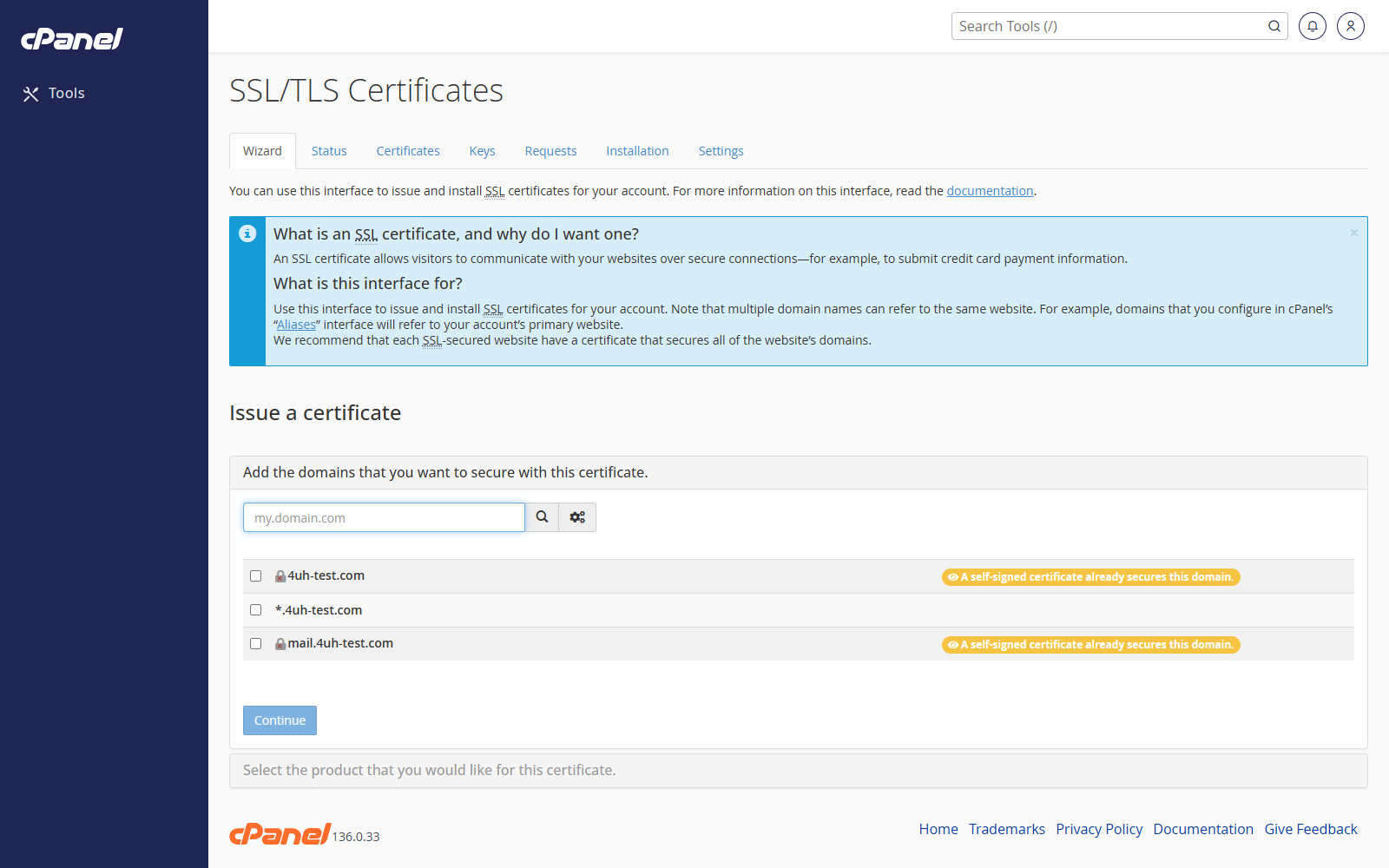
Open SSL/TLS Certificates
- Go to Security > SSL/TLS Certificates.
- Use the tabs to move between certificate tools.
Check Certificate Status
- Open the Status tab.
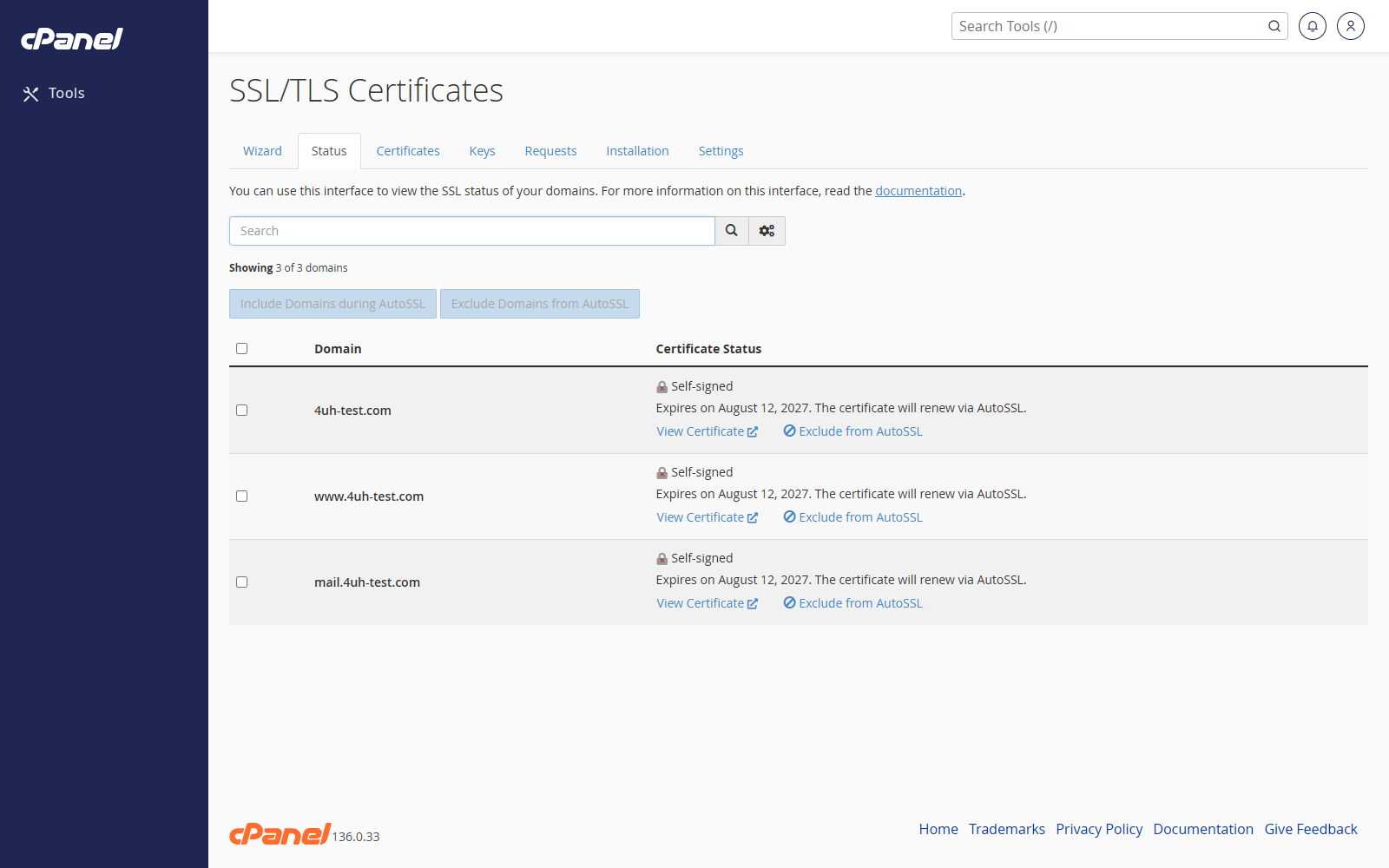
- Review each domain.
- Open the certificate details if you need to check the issuer or expiry date.
Use the Wizard
- Open the Wizard tab.
- Select the domain or domains.
- Follow the purchase or installation steps shown by cPanel.
Manage Certificates
- Open the Certificates tab.
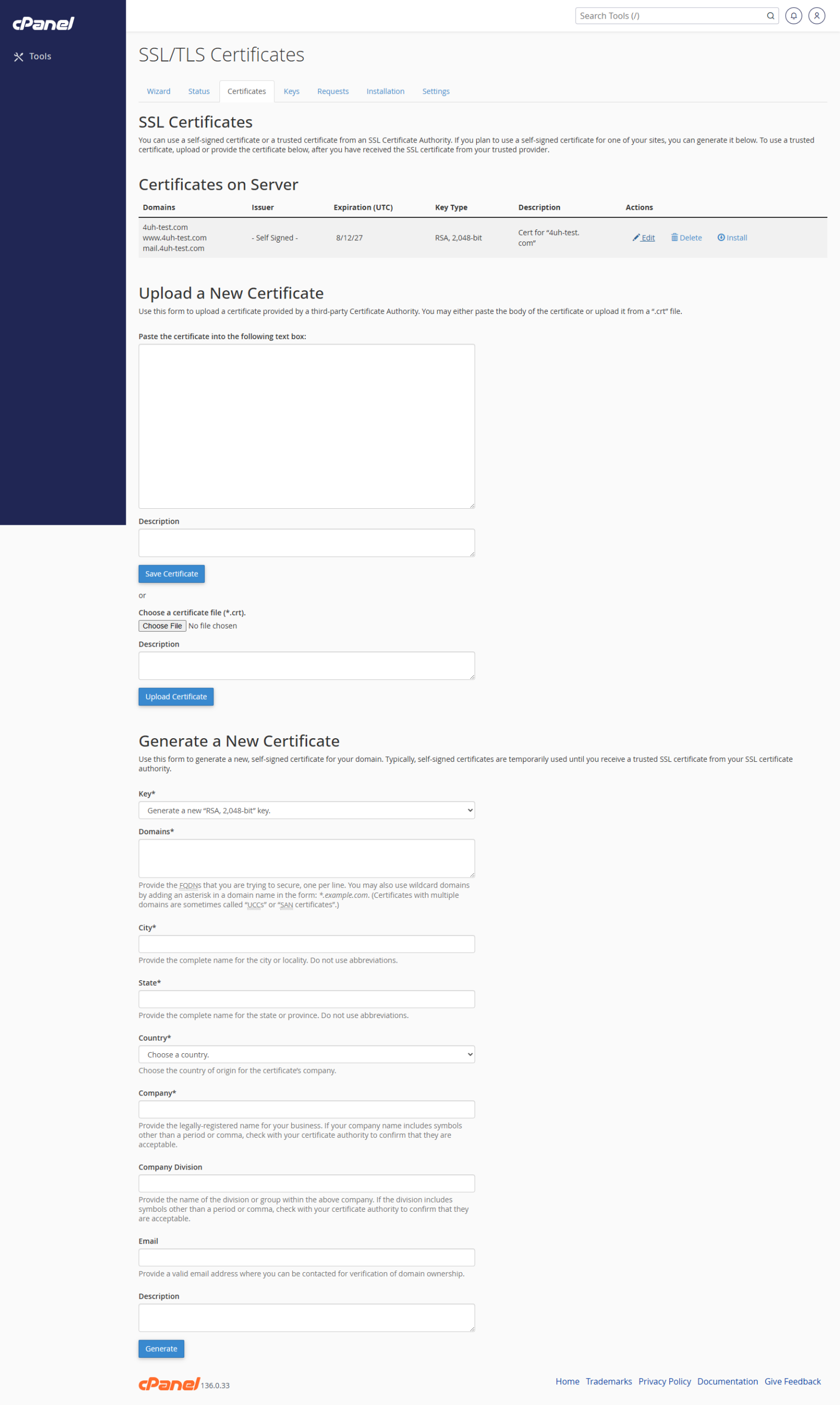
- View, upload, or delete certificates as needed.
Manage Private Keys and CSRs
- Open the Keys tab to manage private keys.
- Open the Requests tab to manage certificate signing requests.
Install a Certificate
- Open the Installation tab.
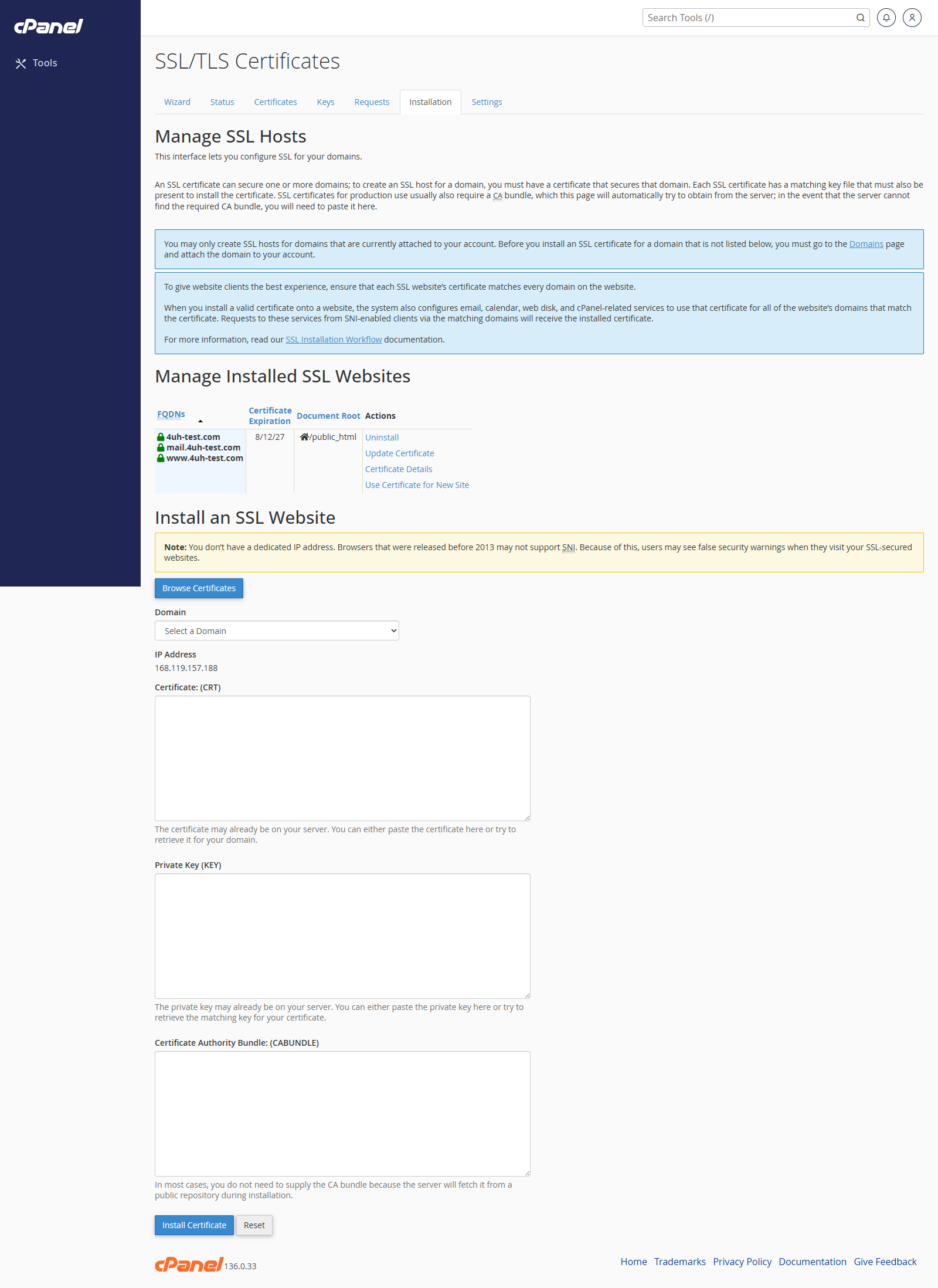
- Choose the domain.
- Paste the certificate, key, and CA bundle if needed.
- Install the certificate.
Notes
- Some cPanel servers show these tools as separate pages instead of one tabbed interface.
- Use SSL/TLS Status first if you only need to check whether SSL is working.
- Be careful when deleting certificates or private keys.