
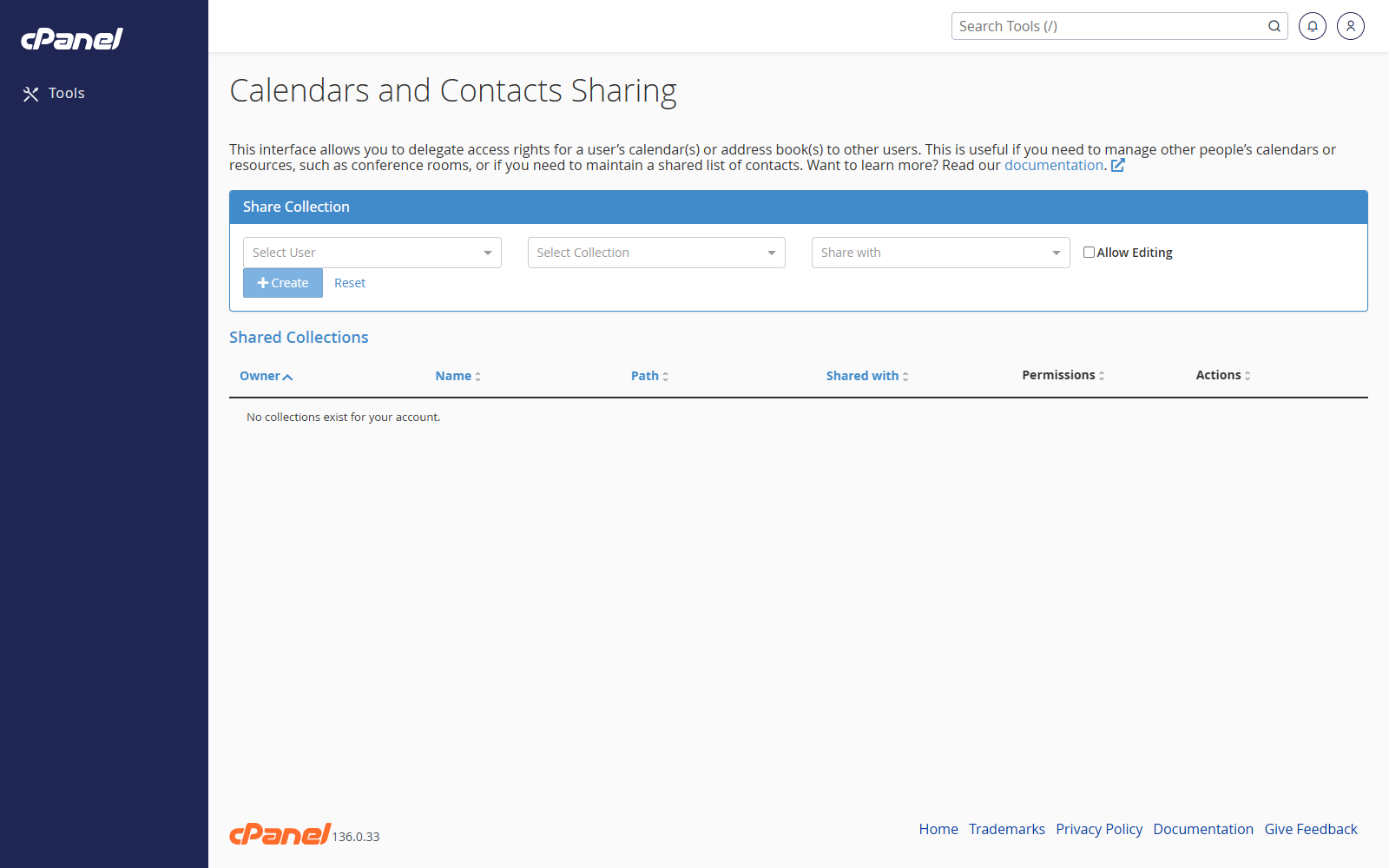
Share a Calendar or Address Book
- Log in to cPanel.
- Go to Email > Calendars and Contacts Sharing.
- In Select User, choose the owner of the calendar or address book.
- In Select Collection, choose the calendar or address book.
- In Share with, choose the email user who needs access.
- Select Allow Editing if that user should be able to make changes.
- Leave Allow Editing unticked if the user only needs read access.
- Click Create.
Add Editing Rights
- Go to Email > Calendars and Contacts Sharing.
- Find the shared collection in the table.
- Click Allow Editing.
Remove Editing Rights
- Go to Email > Calendars and Contacts Sharing.
- Find the shared collection in the table.
- Click Disallow Editing.
Stop Sharing
- Go to Email > Calendars and Contacts Sharing.
- Find the shared collection in the table.
- Click Delete.
- Click Confirm Delete.
Notes
- If only one email account exists, create another email account first.