
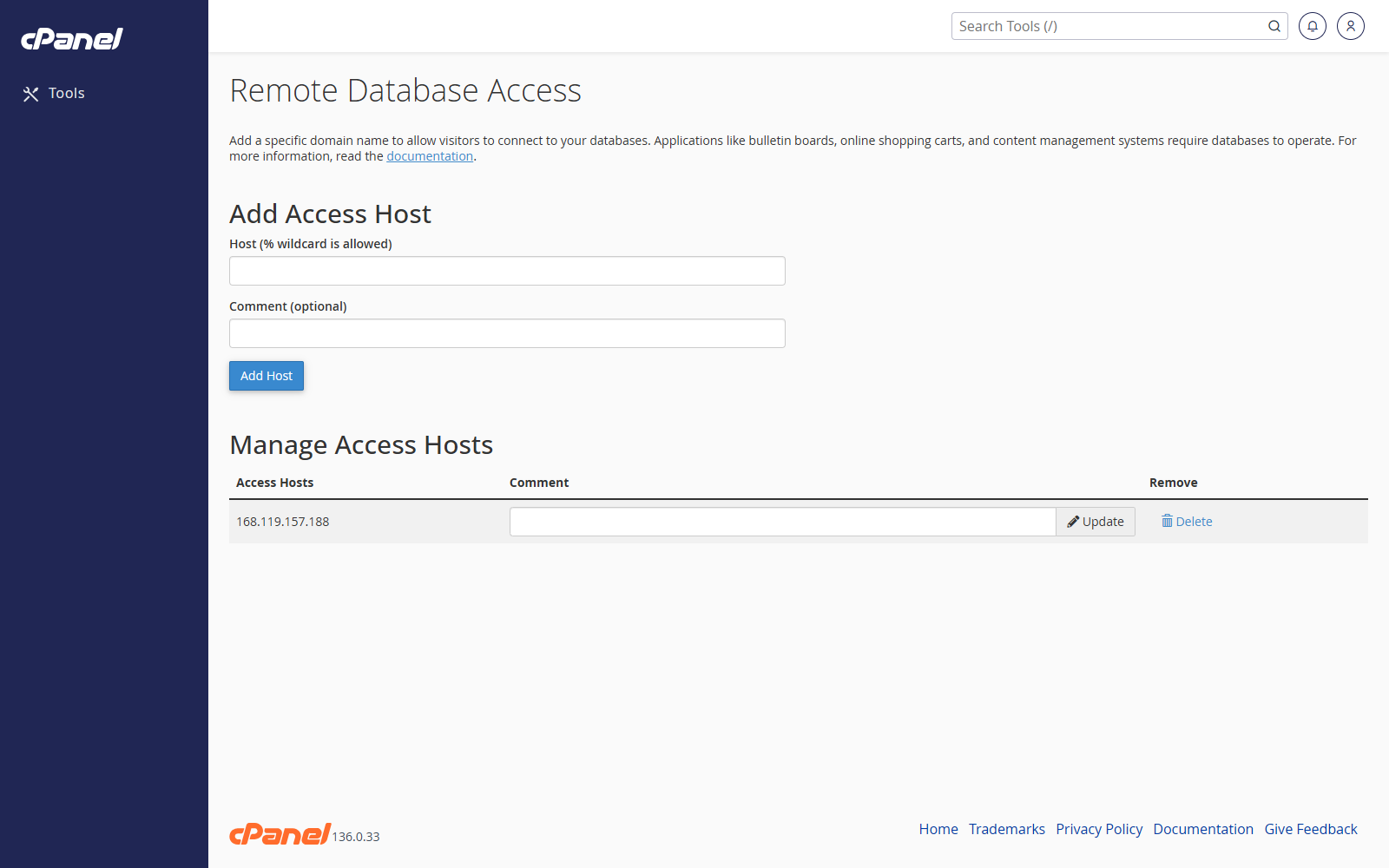
Add a Remote Host
- Go to Databases > Remote Database Access or Remote MySQL.
- Enter the host name or IP address that needs access.
- Add a short comment if the option is shown.
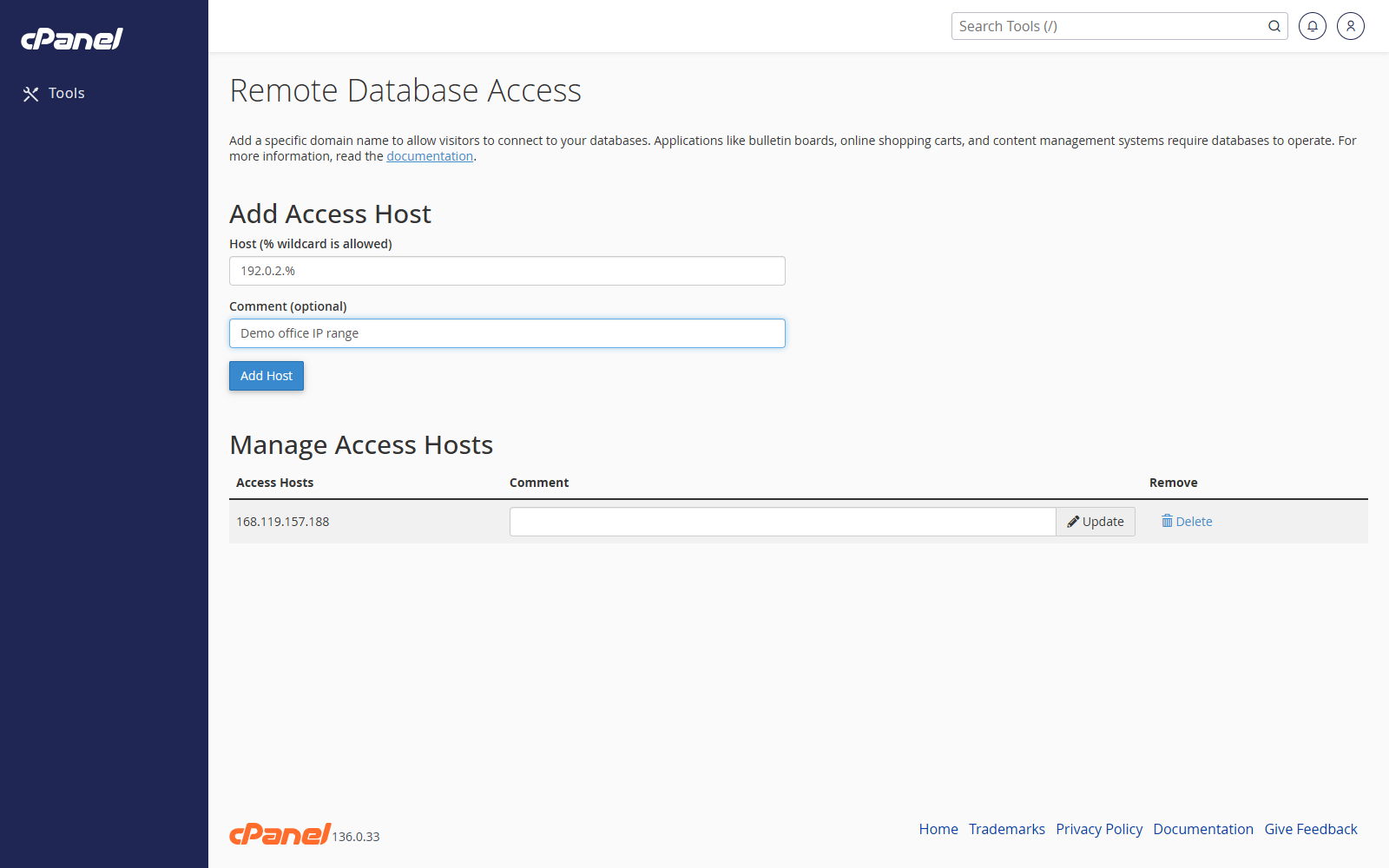
- Click Add Host.
Use a Wildcard Host
- Go to Remote Database Access.
- Enter the host with a percent symbol if cPanel allows it, such as 192.0.2.%.
- Click Add Host.
Remove a Remote Host
- Go to Remote Database Access.
- Find the host in the access list.
- Click Delete or Remove.
- Confirm the change.
Notes
- Only add remote hosts you trust.
- If your home or office IP address changes, you may need to update the host entry.
- Remote access controls whether a server can connect. The database username and password are still required.