
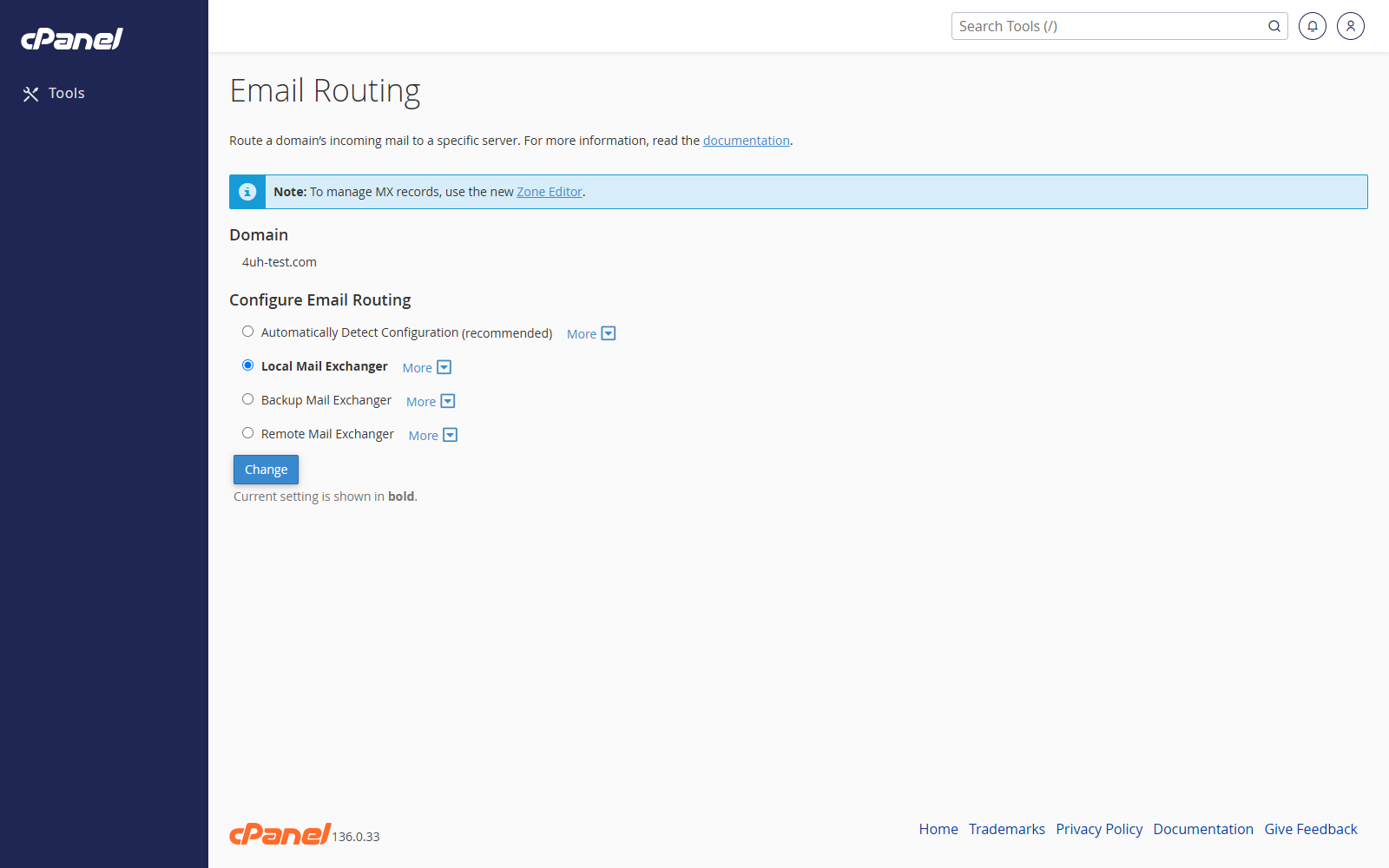
Steps
- Log in to cPanel.
- Go to Email > Email Routing.
- Choose the domain from the menu.
- Select the routing option you need.
- Click Change.
Routing Options
Automatically Detect Configuration
Use this when you want cPanel to choose the routing setting from the domain’s DNS records.
Local Mail Exchanger
Use this when email for the domain is handled by this cPanel server.
Backup Mail Exchanger
Use this when this server should hold mail if the main mail server is unavailable.
Remote Mail Exchanger
Use this when email for the domain is handled somewhere else, such as Google Workspace or Microsoft 365.
Notes
- If your email is hosted externally, choose Remote Mail Exchanger.
- Incorrect routing can stop mail from reaching the right server.