
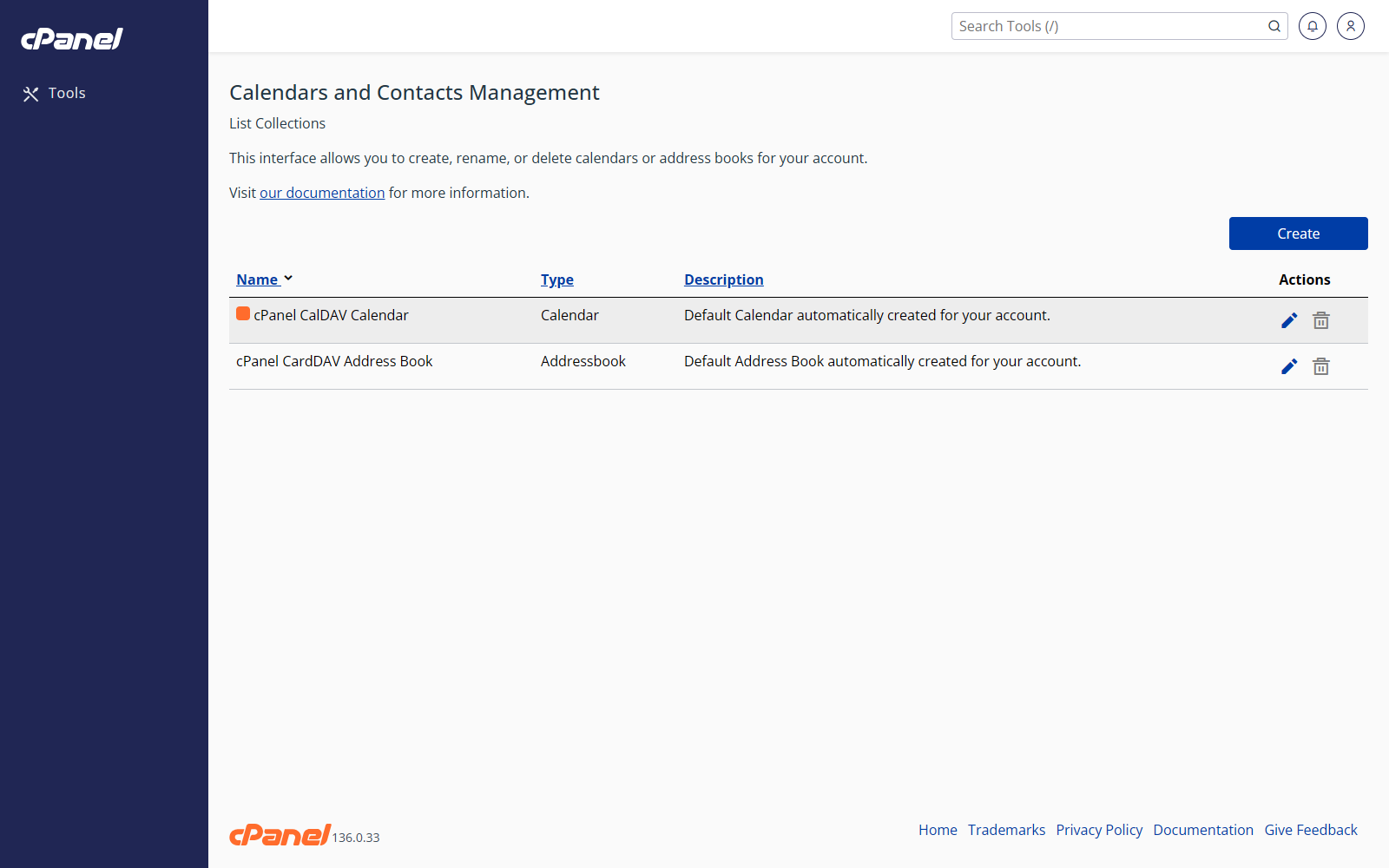
Create a Calendar, Address Book, or Task List
- Log in to cPanel.
- Go to Email > Calendars and Contacts Management.
- Click Create.
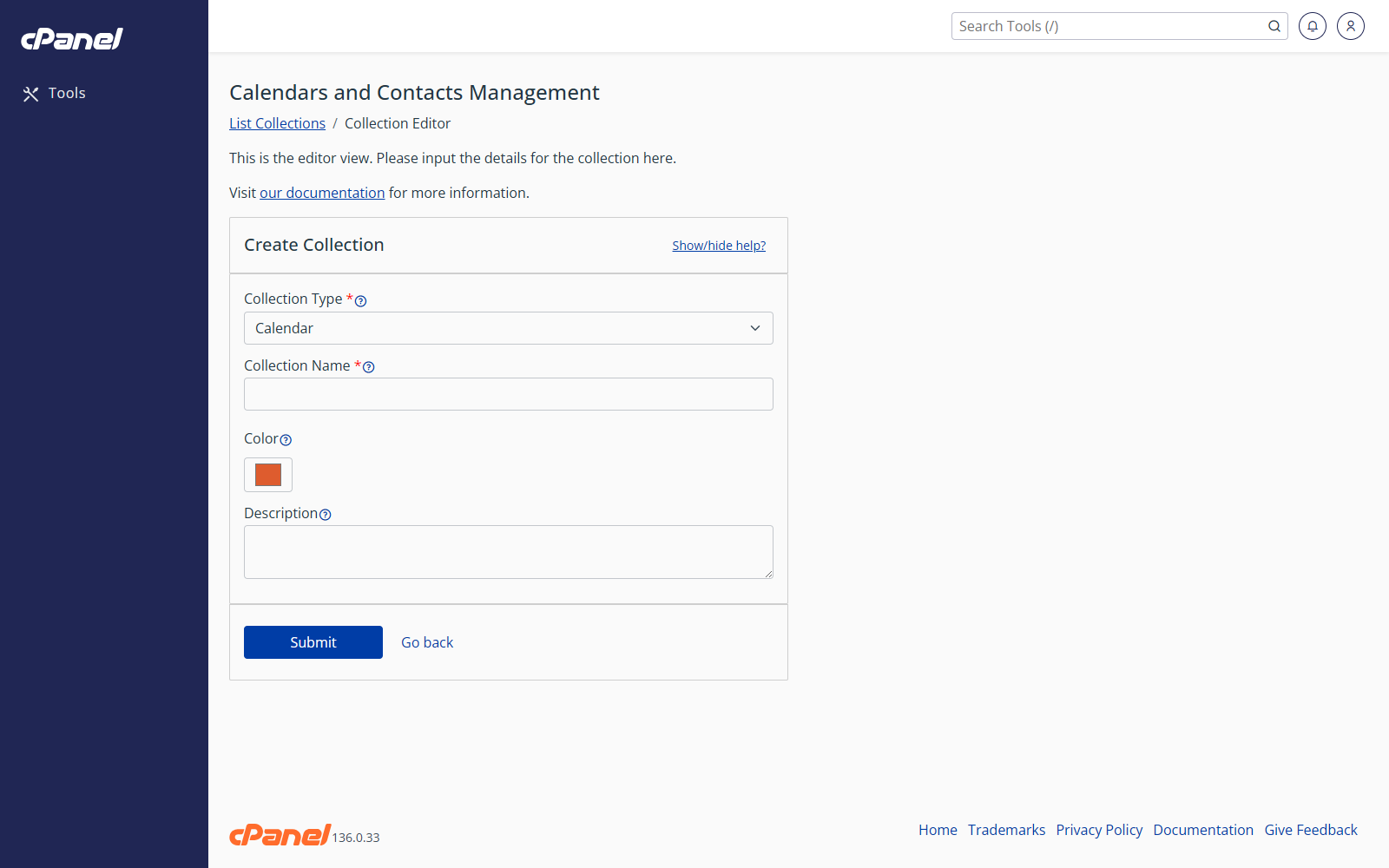
- Choose Calendar, Address book, or Task List.
- Enter a name.
- If you are creating a calendar, choose a color.
- Add a description if needed.
- Click Submit.
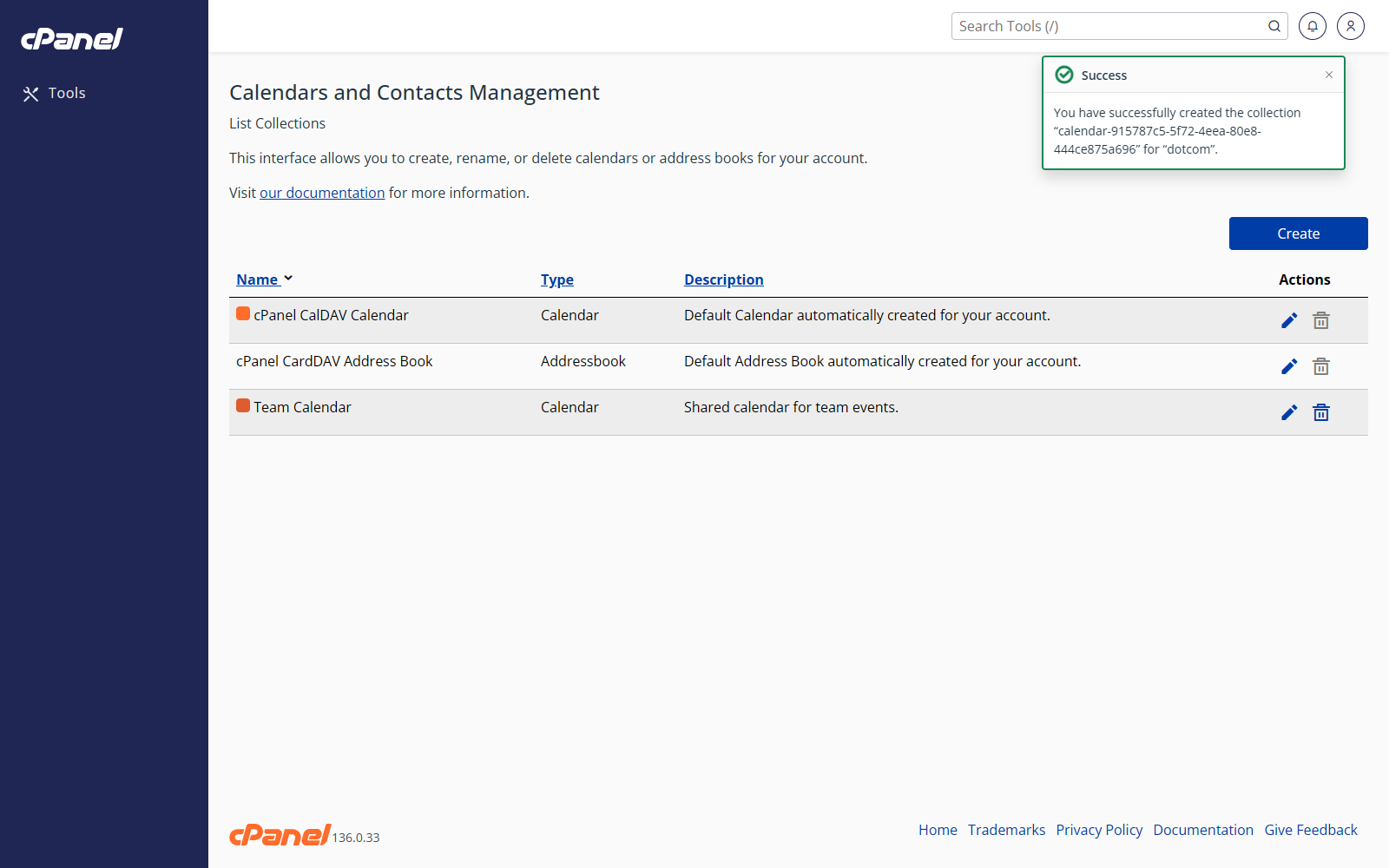
Edit a Collection
- Go to Email > Calendars and Contacts Management.
- Find the calendar, address book, or task list.
- Click the pencil icon.
- Change the name, color, or description.
- Click Submit.
Delete a Collection
- Go to Email > Calendars and Contacts Management.
- Find the calendar, address book, or task list.
- Click the trash can icon.
- Click OK to confirm.
Notes
- Deleting a collection removes that calendar, address book, or task list.
- Check the item carefully before confirming deletion.