
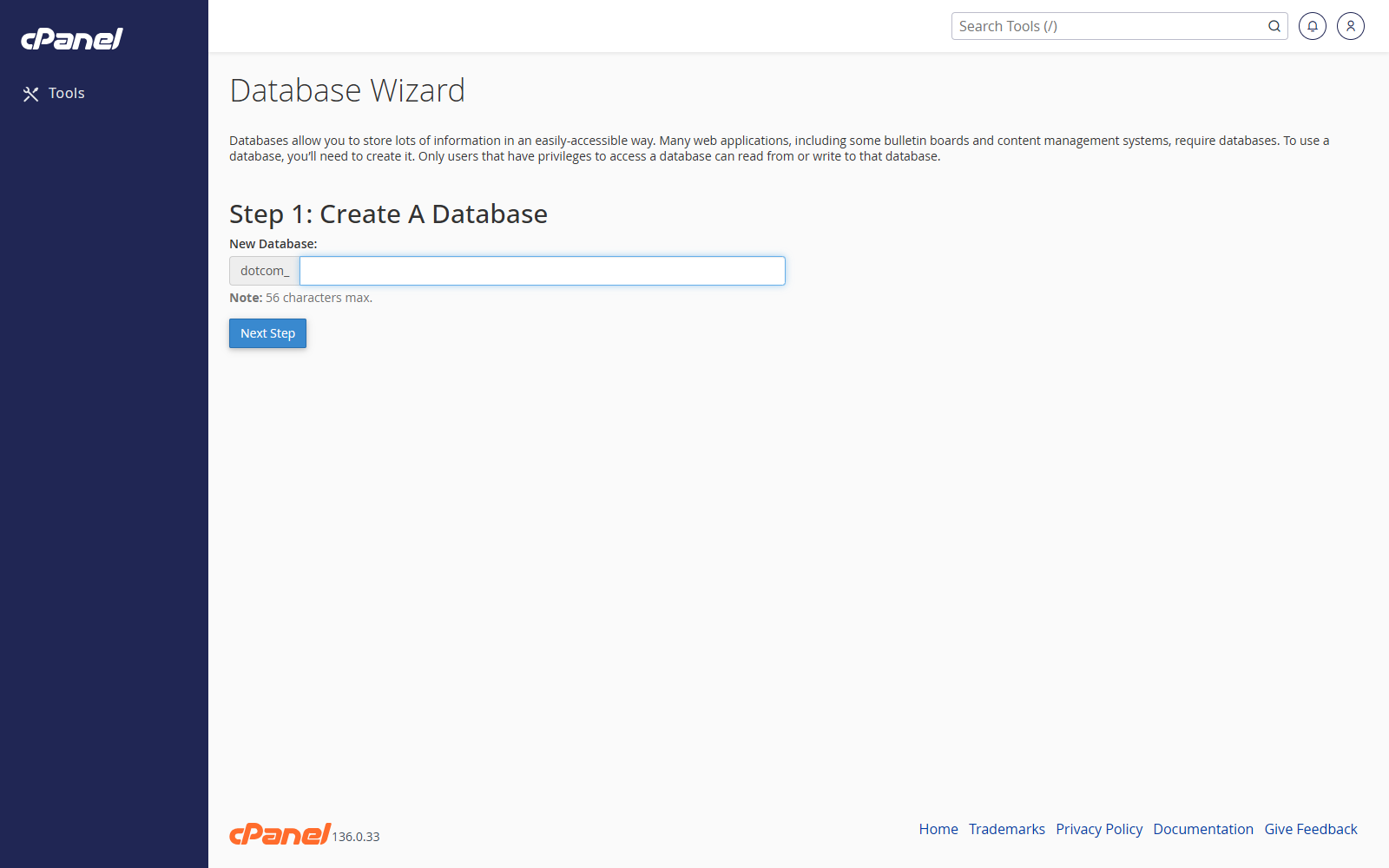
Start the Wizard
- Go to Databases > Database Wizard.
- Enter a name for the new database.
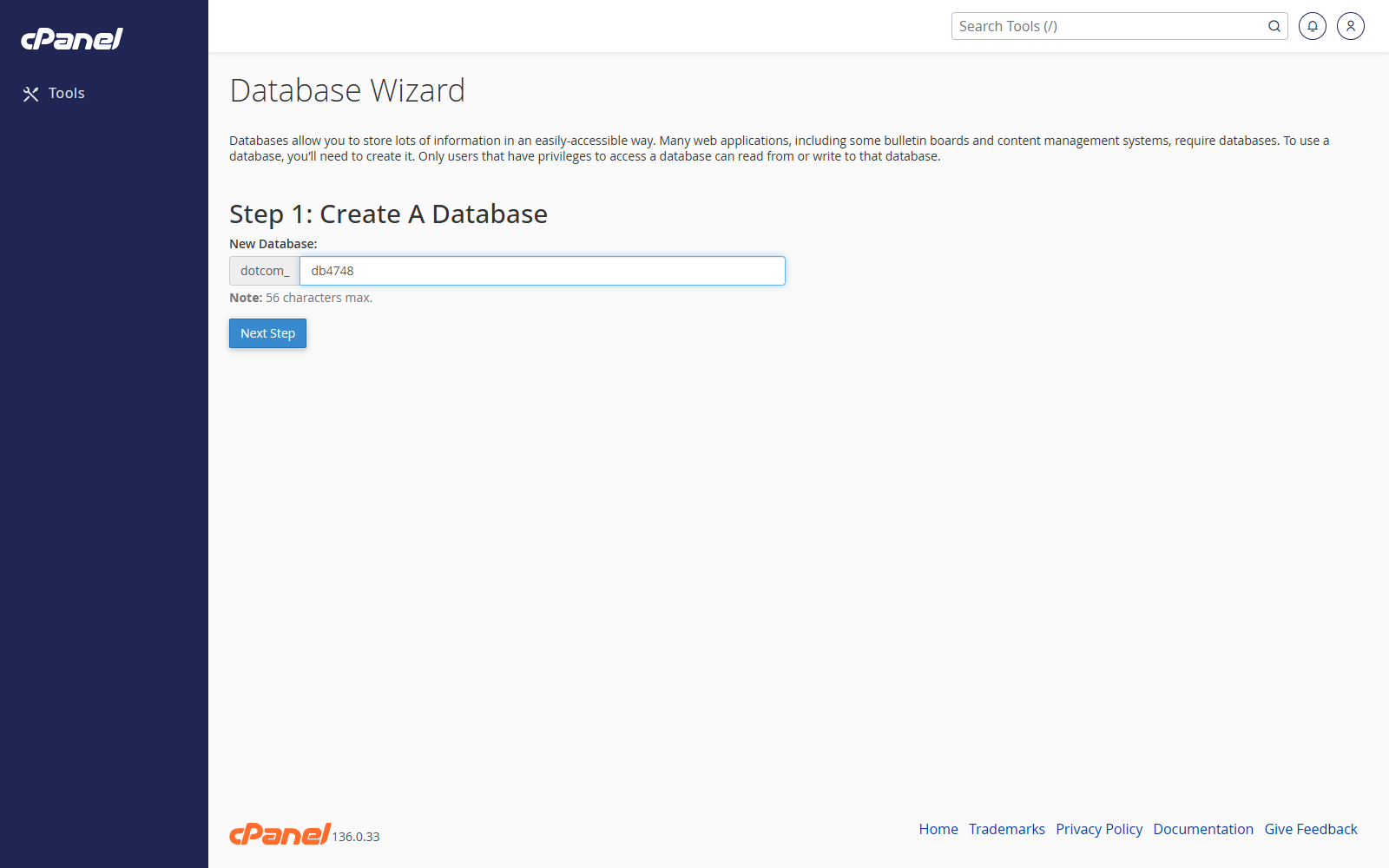
- Click Next Step.
Create the Database User
- Enter a username for the database user.
- Enter and confirm a strong password.
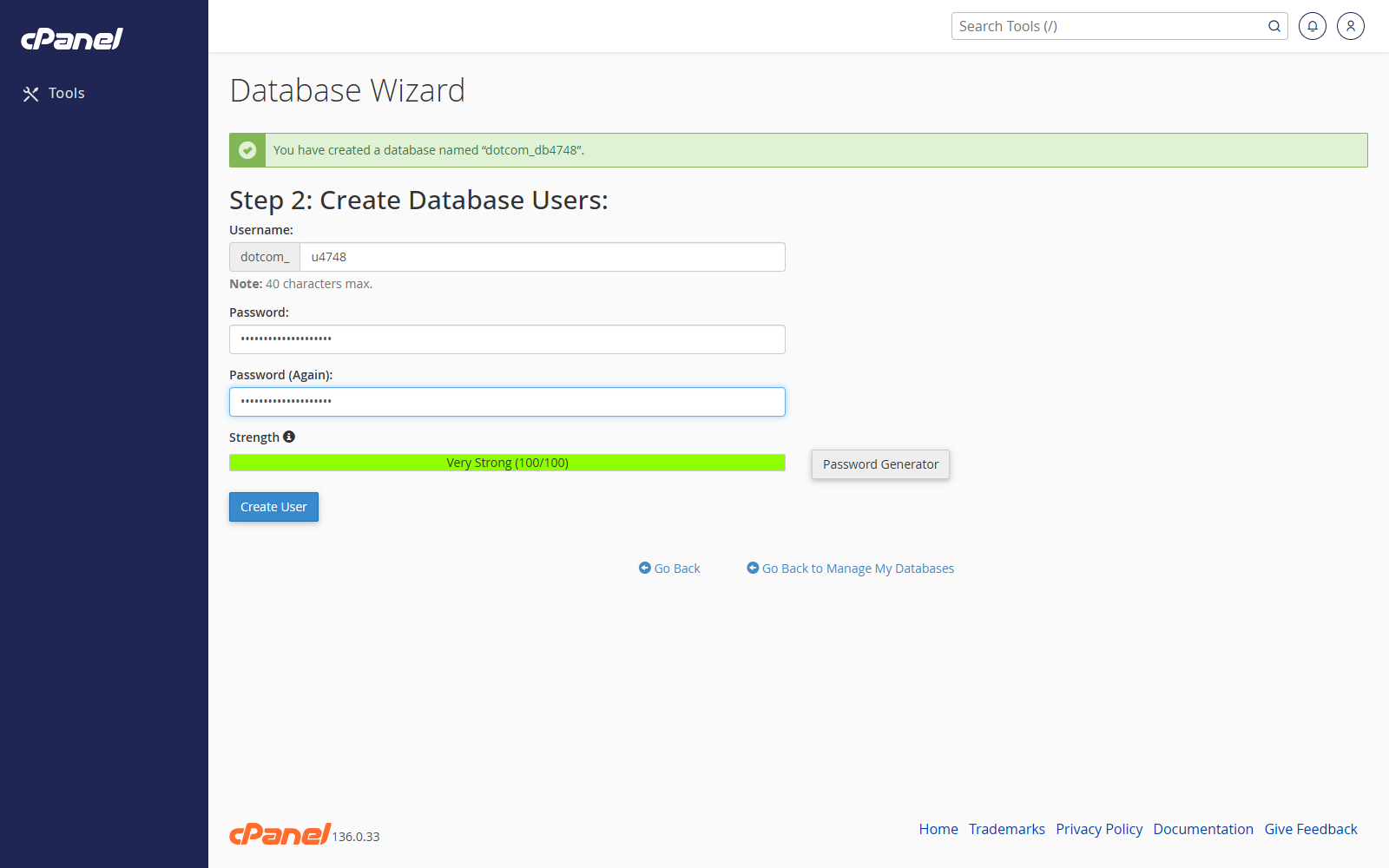
- Click Create User.
Set the User Privileges
- Tick All Privileges if the website needs full access to the database.
- Or tick only the individual privileges the user needs.
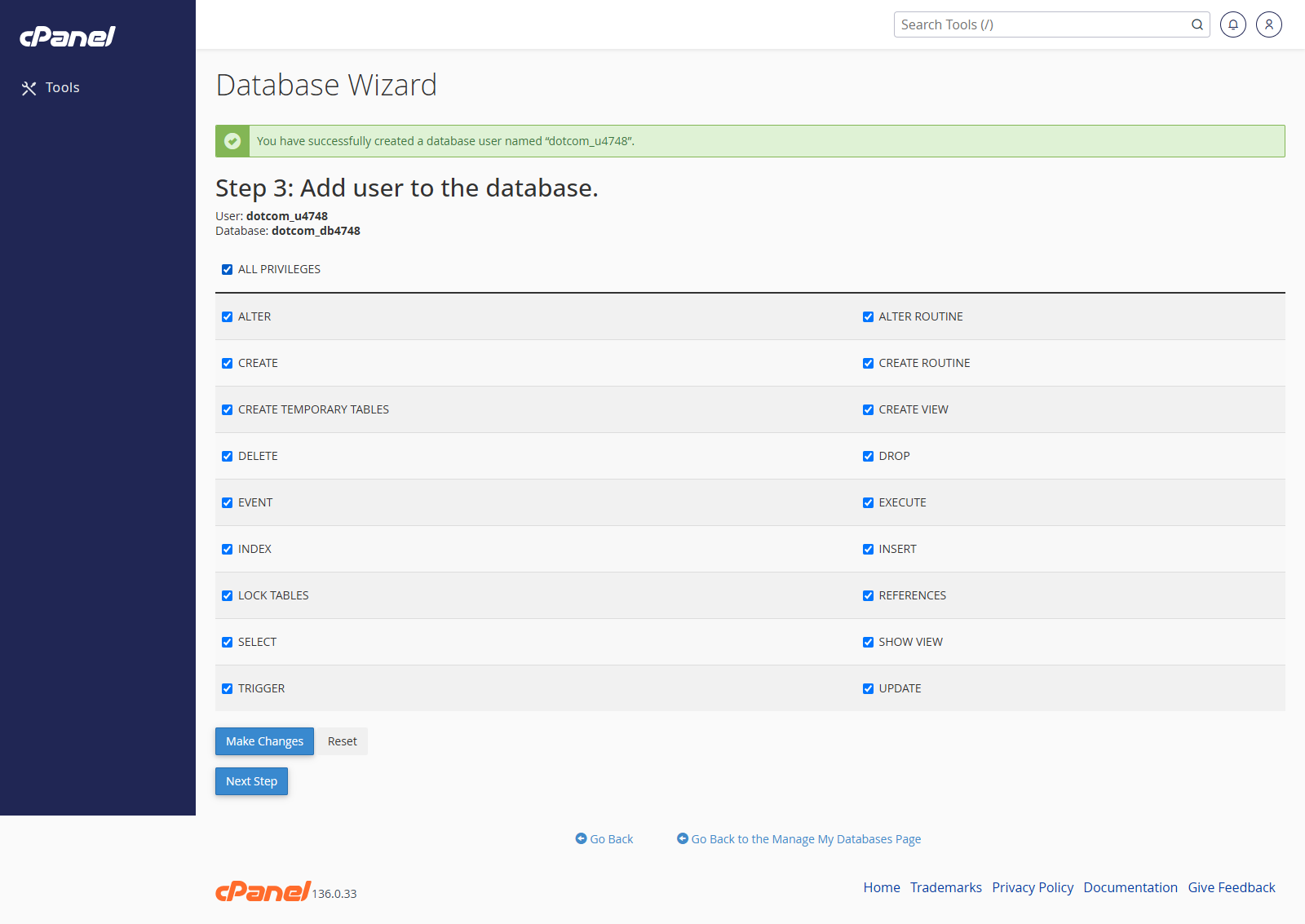
- Click Next Step.
Finish
- Check the confirmation message.
- Make a note of the full database name and full database username.
- Use those details in your website or application configuration file.
Notes
- cPanel adds your account prefix to database names and usernames.
- Database Wizard is the quickest option when you need a new database and user at the same time.