
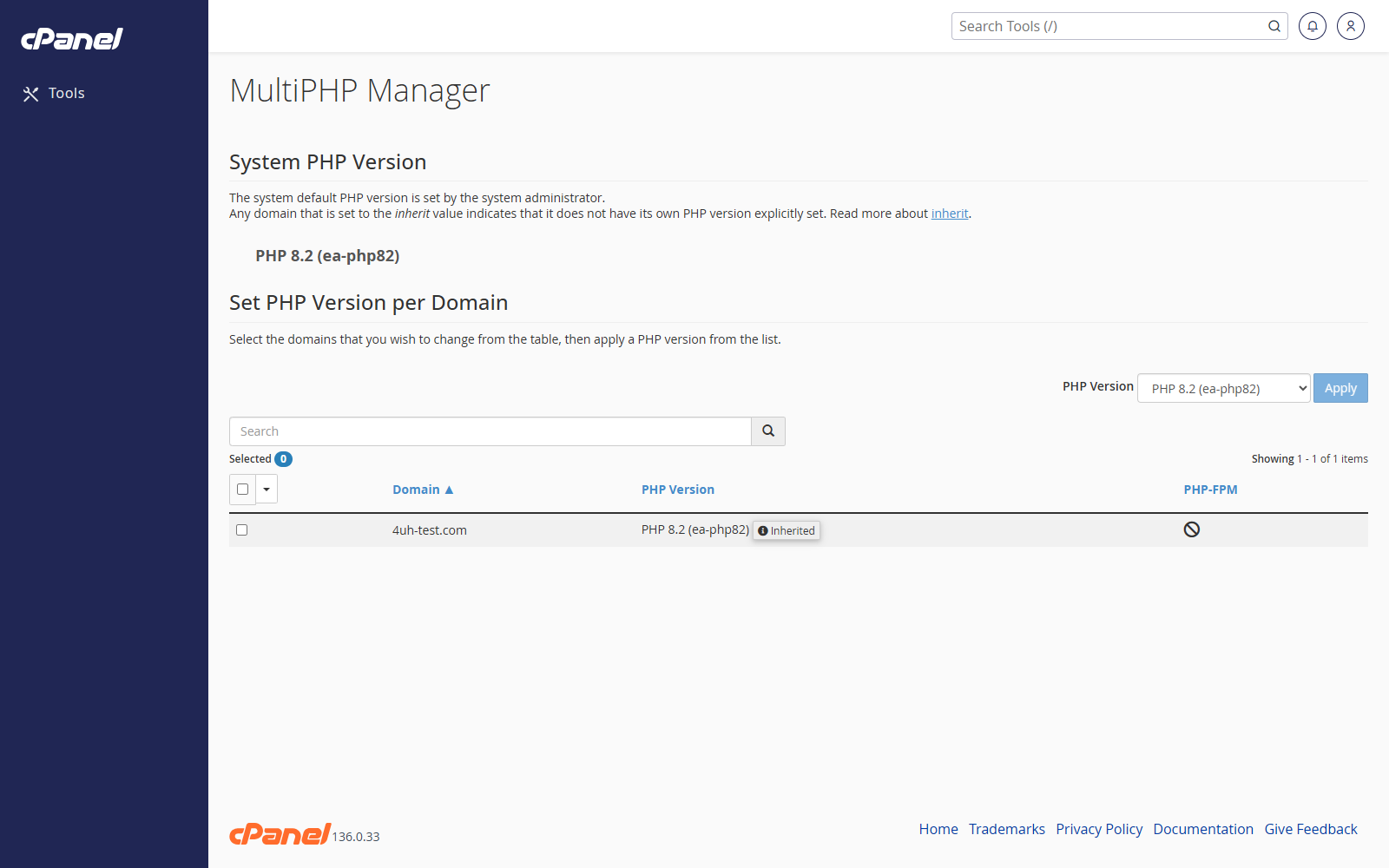
Open MultiPHP Manager
- Go to Software > MultiPHP Manager.
- Find the domain you want to change.
Change the PHP Version
- Tick the box beside the domain.
- Choose the PHP version from the dropdown.
- Click Apply.
- Wait for cPanel to save the change.
Check the Current PHP Version
- Go to MultiPHP Manager.
- Look at the PHP version shown beside each domain.
Notes
- Test the website after changing PHP version.
- Older websites may not work on newer PHP versions.
- Use MultiPHP INI Editor if you need to change PHP limits or settings after changing the version.